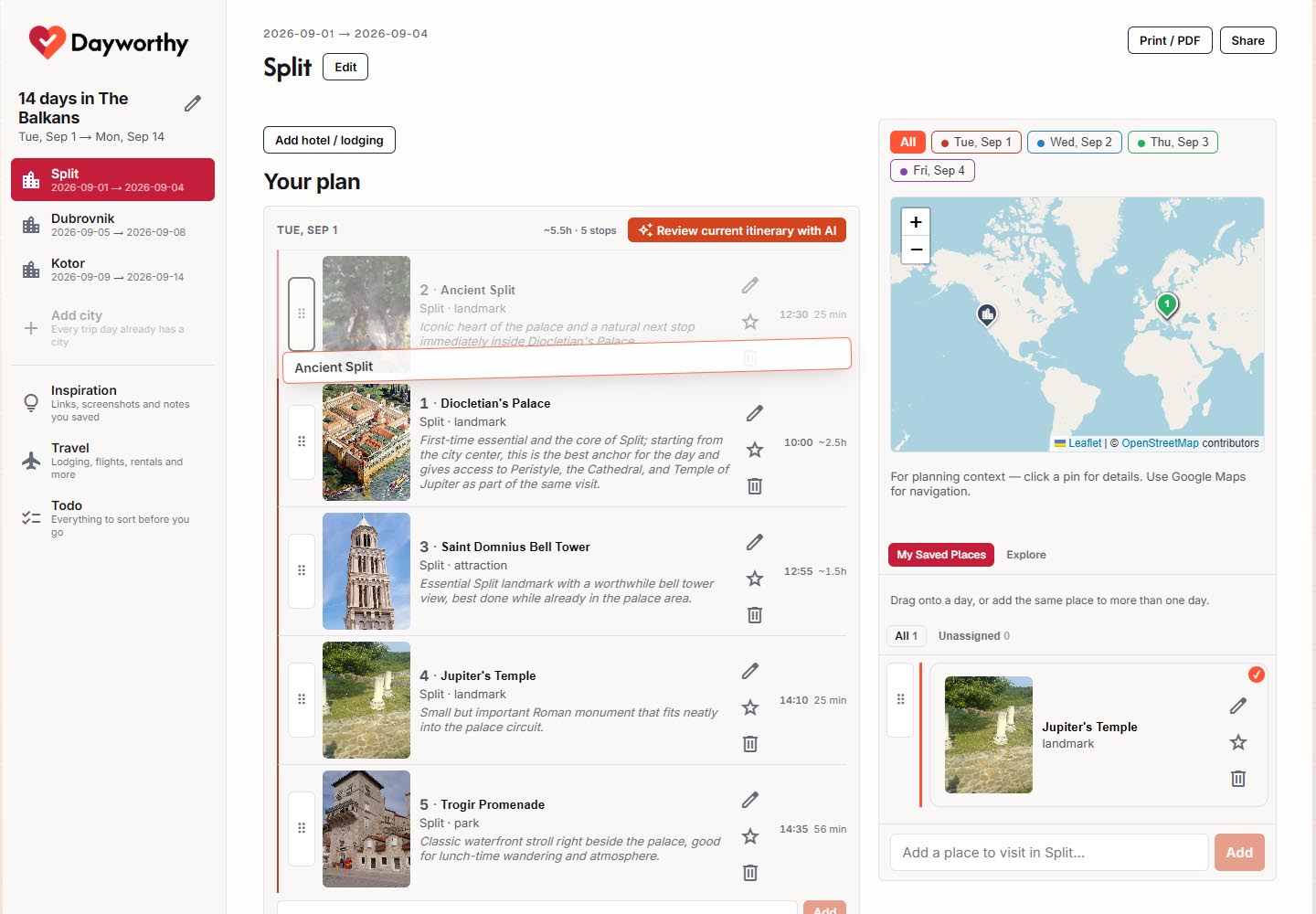
Manual itinerary building
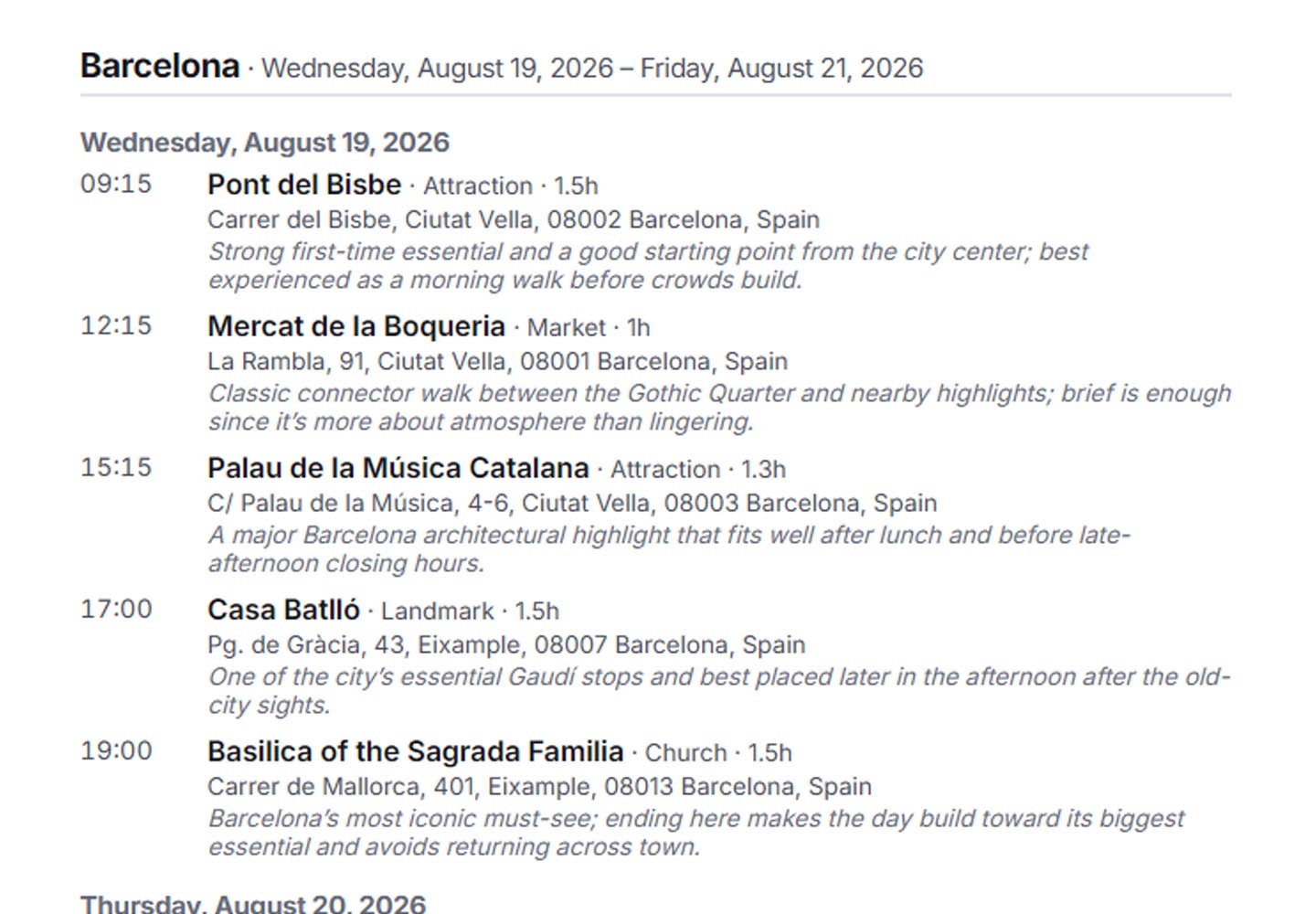
Build parts of the itinerary yourself when you already know exactly what belongs in the day.

Dayworthy features
Dayworthy connects inspiration, itinerary decisions, trip logistics, and the travel day itself. Find possible trip ideas, save what catches your attention, create a realistic AI itinerary, adjust it your way, and use it when you are already moving through the city.
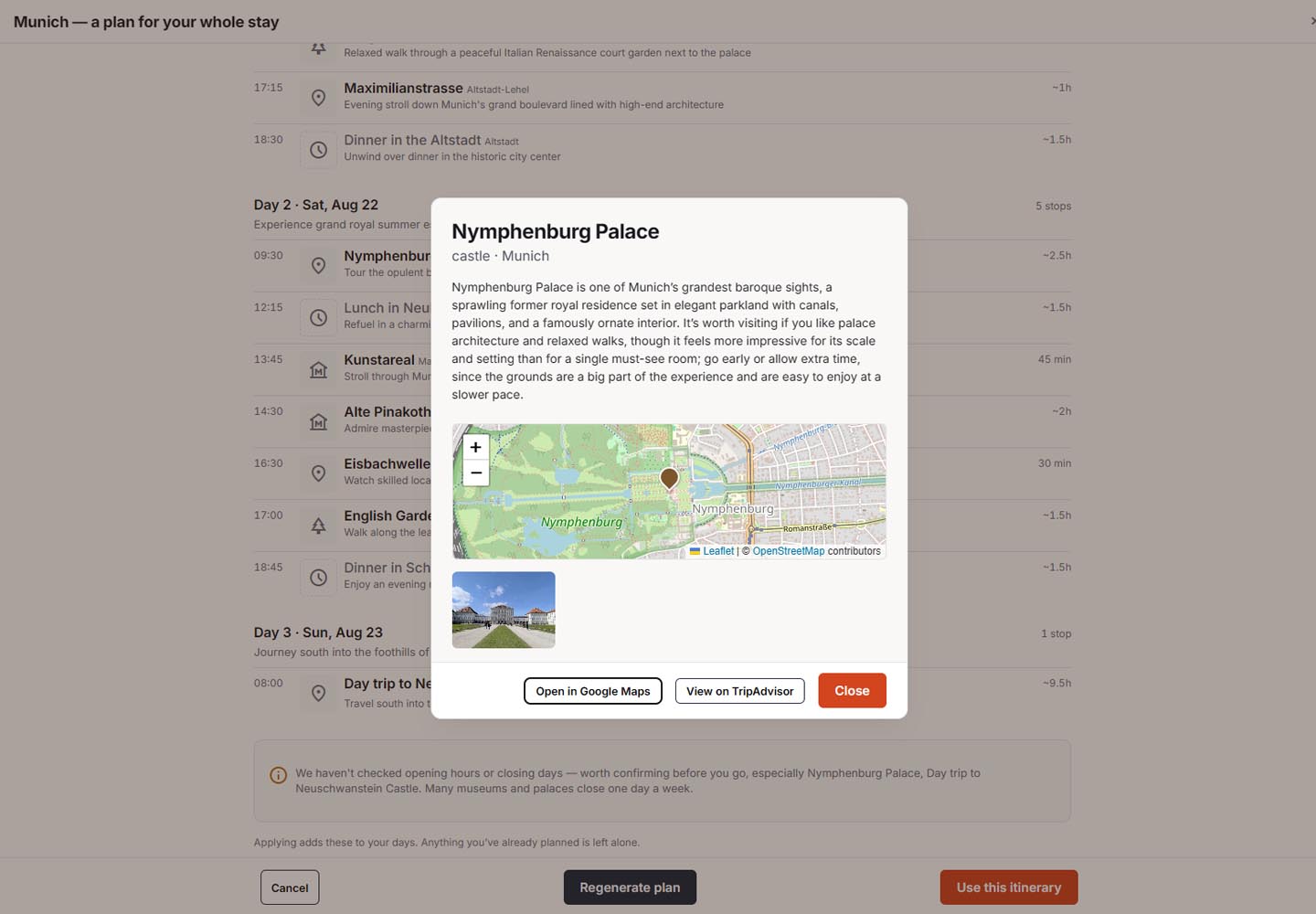
Trip ideas
Sometimes you know you want to travel, but not whether the right trip is one city done well, two bases that pair naturally, or a broader route. Dayworthy can help you compare different trip shapes before you commit to an itinerary.
Instead of producing one arbitrary plan, it helps you think through possible destinations, realistic trip length, geography, and pace. That makes it easier to choose the kind of trip that fits the time you actually have.
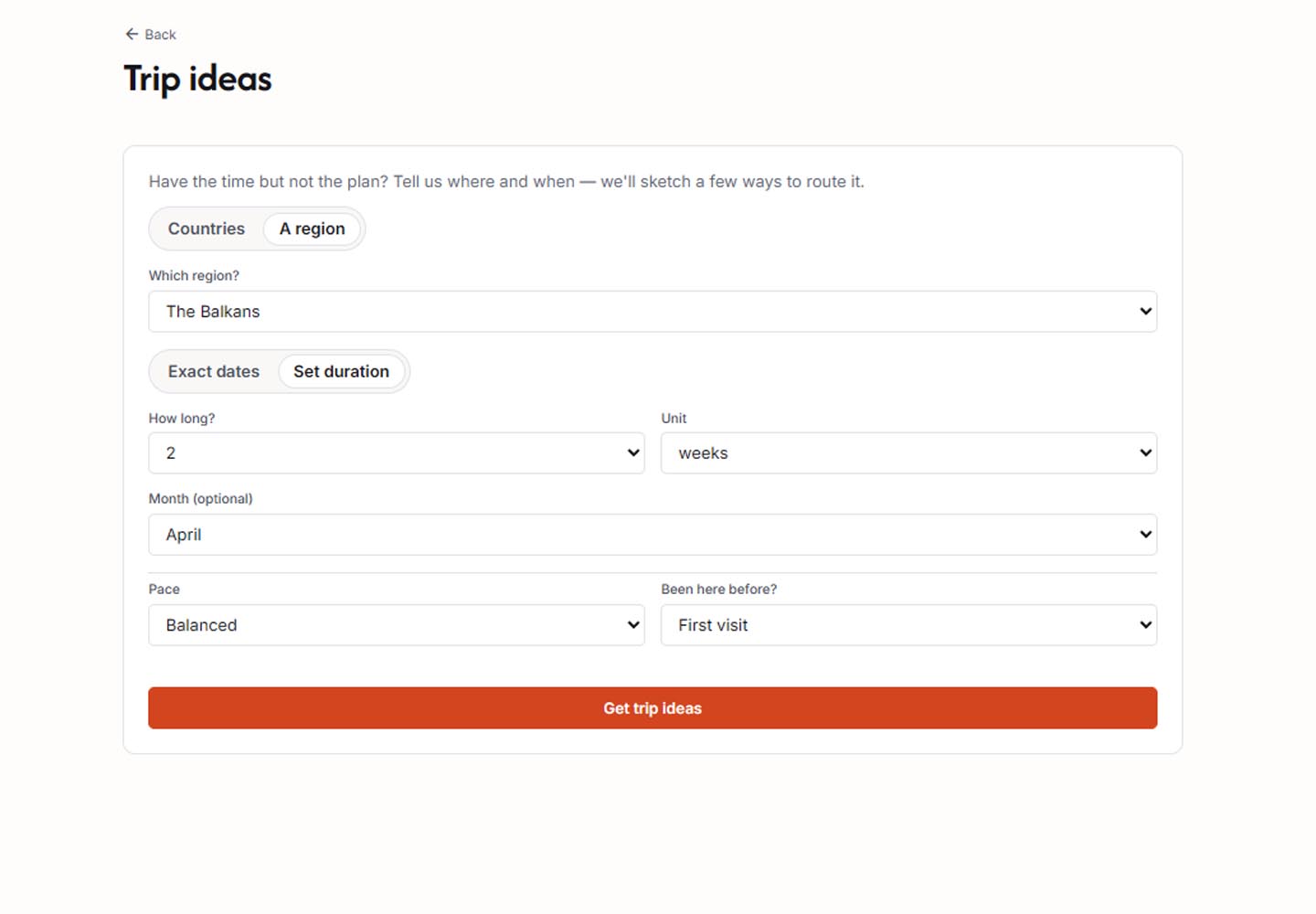
Inspiration
Travel ideas usually show up long before the plan does: a TikTok, an Instagram post, a screenshot, an article, a note, or a recommendation from a friend. Dayworthy gives those ideas an intentional place to live.
Inspiration is a memory and consideration layer. Saving something does not automatically force it into the itinerary or turn it into a permanent preference signal. It simply means the idea will still be there when you are ready to decide whether it deserves your time.
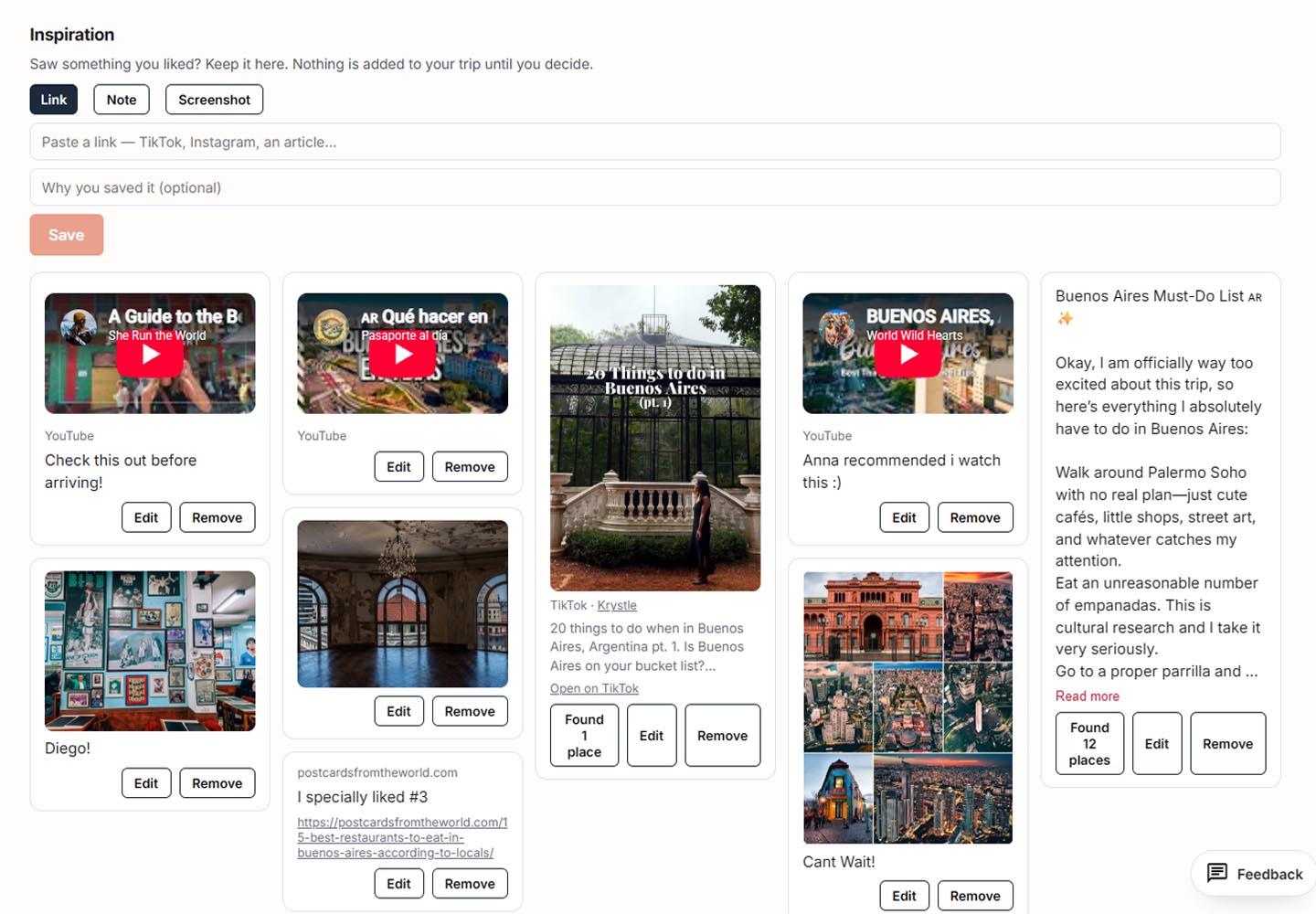
Explore
Once you have a city or destination, Dayworthy helps you explore places and activities that could fit. The difference is that discovery is connected to planning instead of living in a separate attraction directory.
You can understand what a place is, save it if it seems relevant, and consider it in the context of the trip. The goal is not to collect attractions; it is to find possibilities that can become better days.
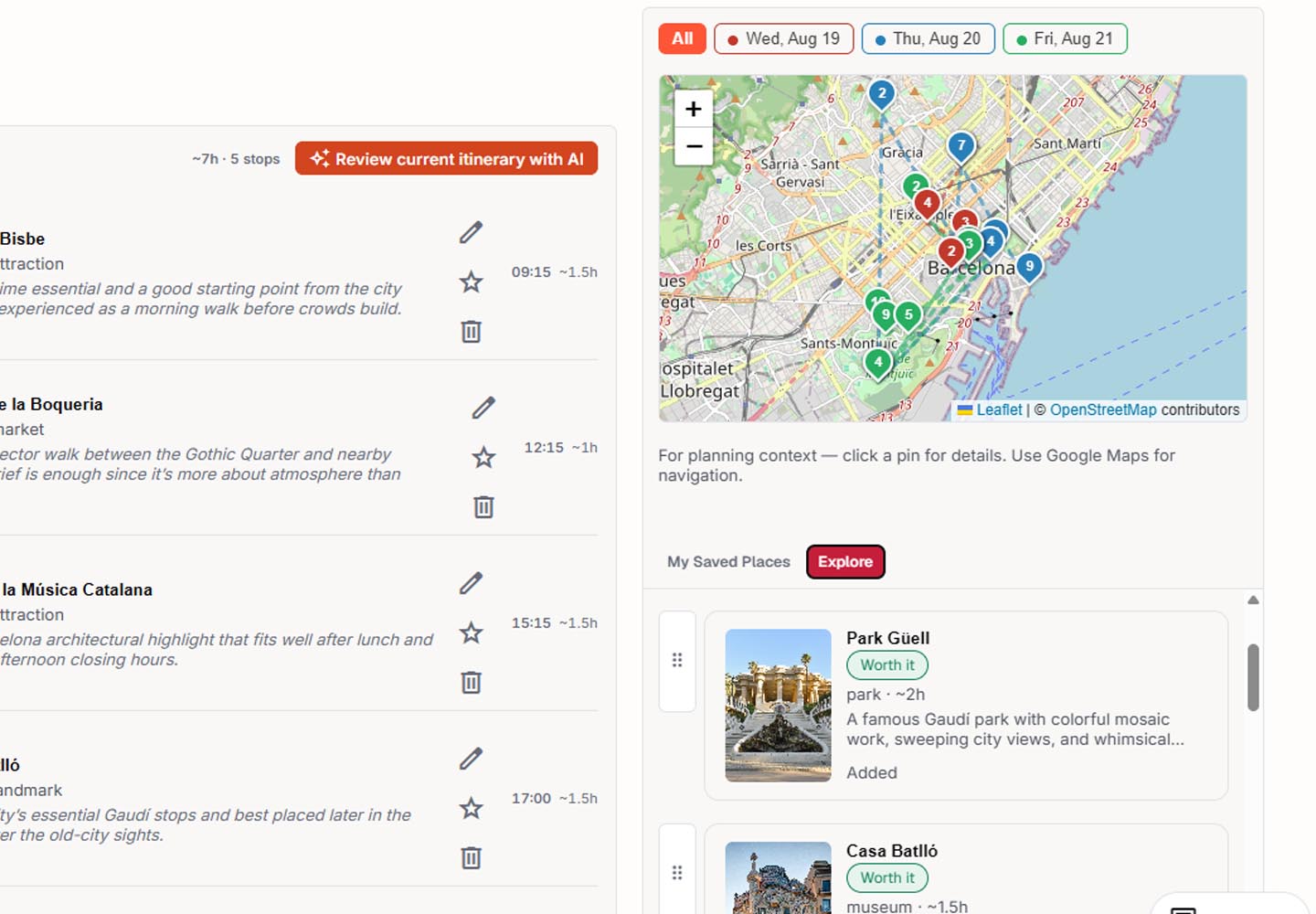
AI itinerary planner
A good itinerary does not try to fit everything. It decides what deserves your limited travel time. Dayworthy uses your trip context — dates, city or base, saved places, must-dos, requests, pace, geography, and arrival or departure constraints — to build days you can actually use.
The result is not a generic paragraph. It is a day-by-day travel itinerary that shows what to do, how each stop fits, and what can stay optional when there is not enough room for everything.
Traveler control
AI can give you a strong starting point, but it should not take away control. In Dayworthy you can review the itinerary, reorder stops, move things between days, add or remove places, create parts manually, and ask for guided changes.
If something does not belong in the main plan, it does not have to disappear. Optional places can stay saved so you can recover them later if the weather changes, the pace slows down, or a place starts to feel worth the time after all.
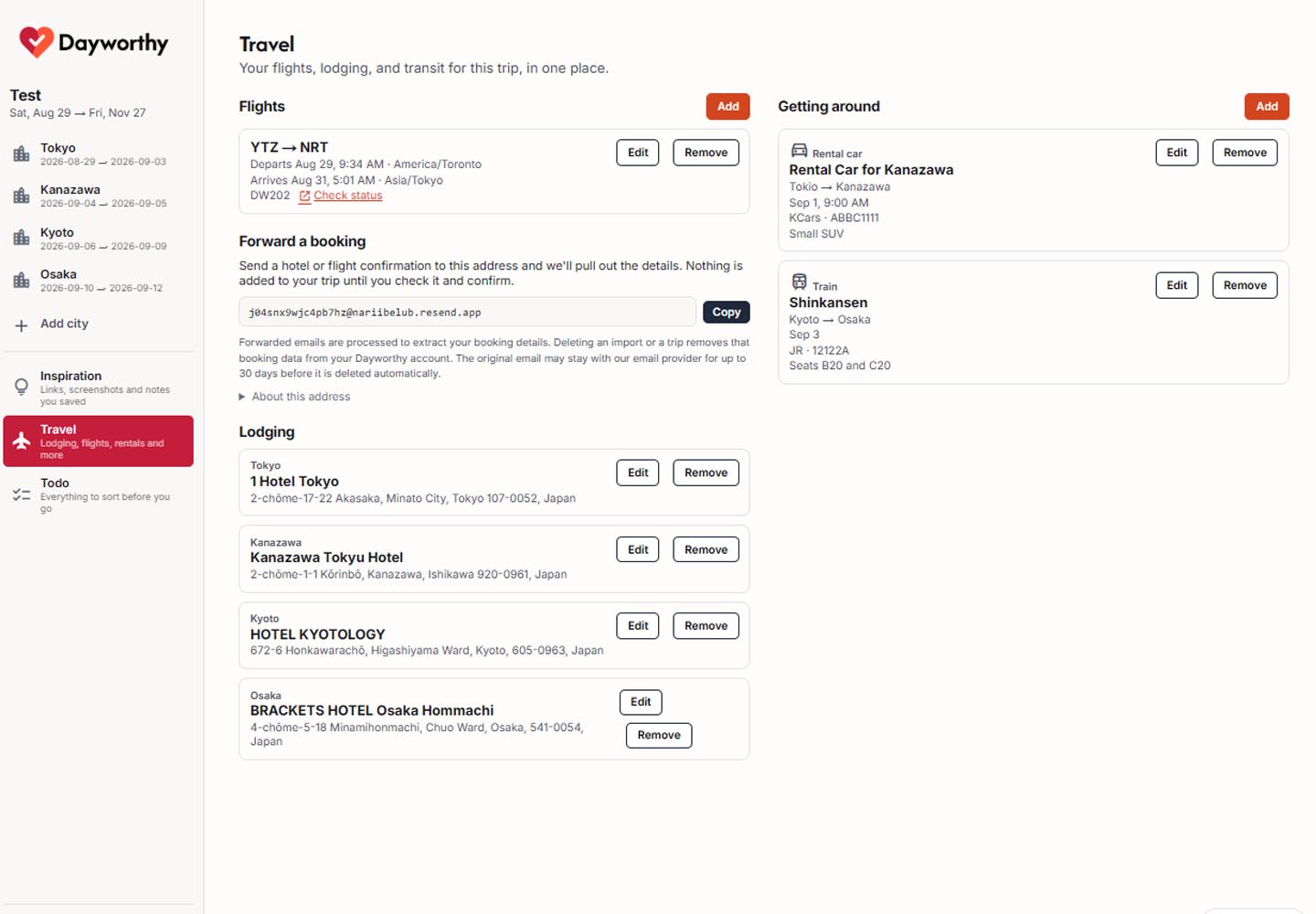
Trip details
An itinerary does not exist in a vacuum. Your flights, lodging, trains, rental cars, ferries, transfers, and other transportation details change what can realistically fit into each day.
Dayworthy helps keep that information near the plan, so you are not mentally reconciling hotel dates, arrival times, departure constraints, and activities across five separate places.
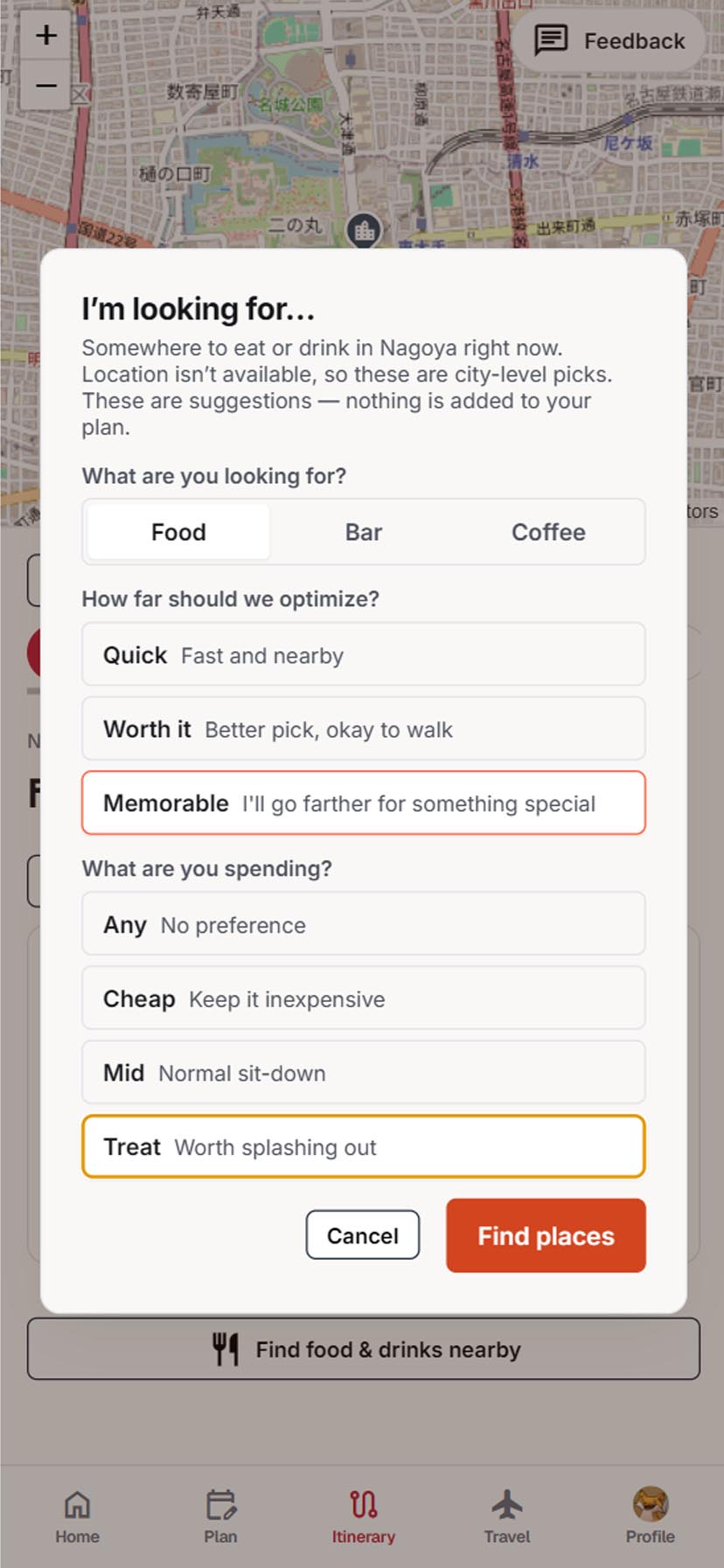
Nearby food
Sometimes you need food in ten minutes. Sometimes you want coffee before the museum, a nearby bar, or a restaurant worth remembering. That problem happens during the trip, not while you are calmly planning at home.
Dayworthy uses your trip and current-location context to help surface nearby food, coffee, or drinks that fit what you need now, without turning the moment into another generic local-search spiral.
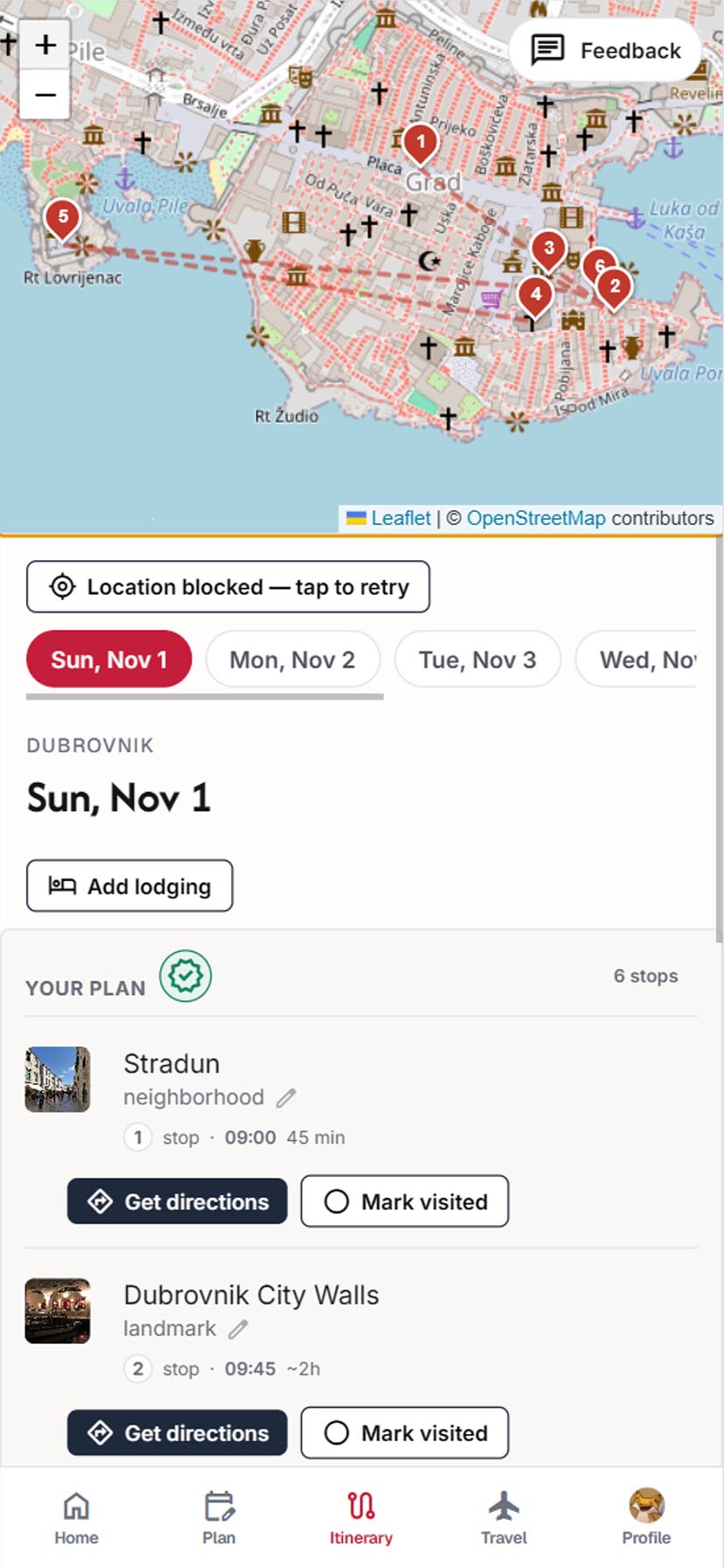
Travel-day mode
Dayworthy does not stop being useful once the itinerary is generated. During the trip, the experience shifts toward what matters while moving: today’s plan, what comes next, when to leave, what is nearby, and how to open directions quickly.
The point is less friction on the ground. You do not have to rebuild the day across maps, notes, and browser tabs; you can move from a view designed for the day you are actually living.
Portable plan
Some trips need an offline or physical version: to share, glance at quickly, or keep as a backup when you do not want to rely on a phone. Dayworthy lets you print or export a practical version of the itinerary.
More workflow details
Build parts of the itinerary yourself when you already know exactly what belongs in the day.
Ask for changes around pace, interests, timing, or what matters most on this trip.
Keep candidate ideas outside the main plan until they genuinely deserve a spot.
Example itineraries

5 daysTokyo, Japan
A balanced 5-day Tokyo itinerary for first-time visitors, grouping Asakusa, Shibuya, Odaiba, Shinjuku, Ginza, and quieter neighborhoods into realistic days.
Read the itinerary
5 daysMexico City, Mexico
A balanced 5-day Mexico City itinerary for first-time visitors, grouping the Zócalo, Templo Mayor, Bellas Artes, Chapultepec, Teotihuacán, Coyoacán, San Ángel, Roma, and Condesa into realistic days.
Read the itinerary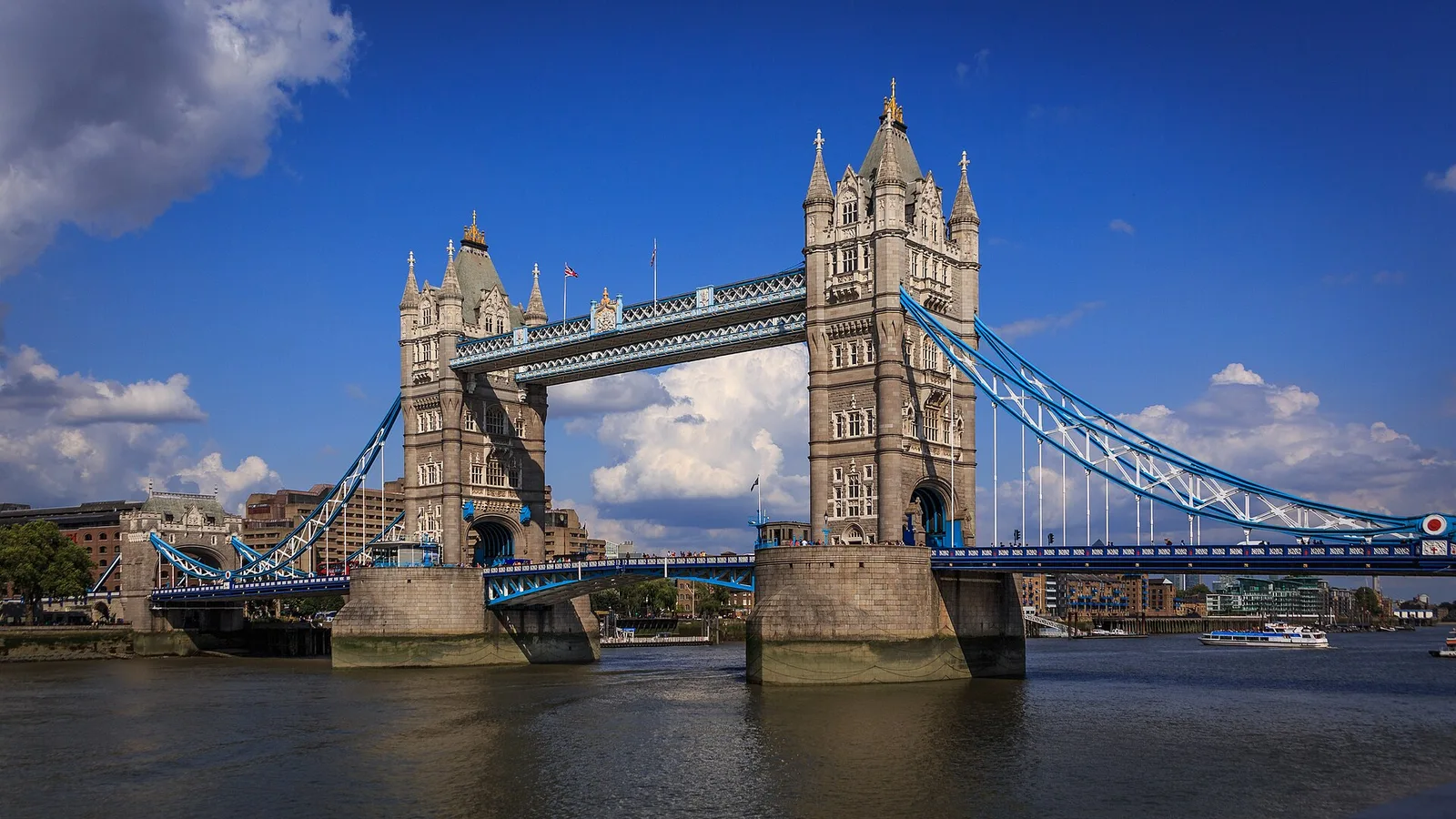
5 daysLondon, United Kingdom
A balanced 5-day London itinerary for first-time visitors, grouping Westminster, South Bank, the Tower, St Paul’s, Windsor, Bloomsbury, Kensington, Greenwich, and the West End into realistic days.
Read the itineraryDayworthy
Start with your ideas, let Dayworthy build a realistic plan, then adjust it until it feels like your trip.
Start free — no card required.
¿Prefieres ver Dayworthy en español?